
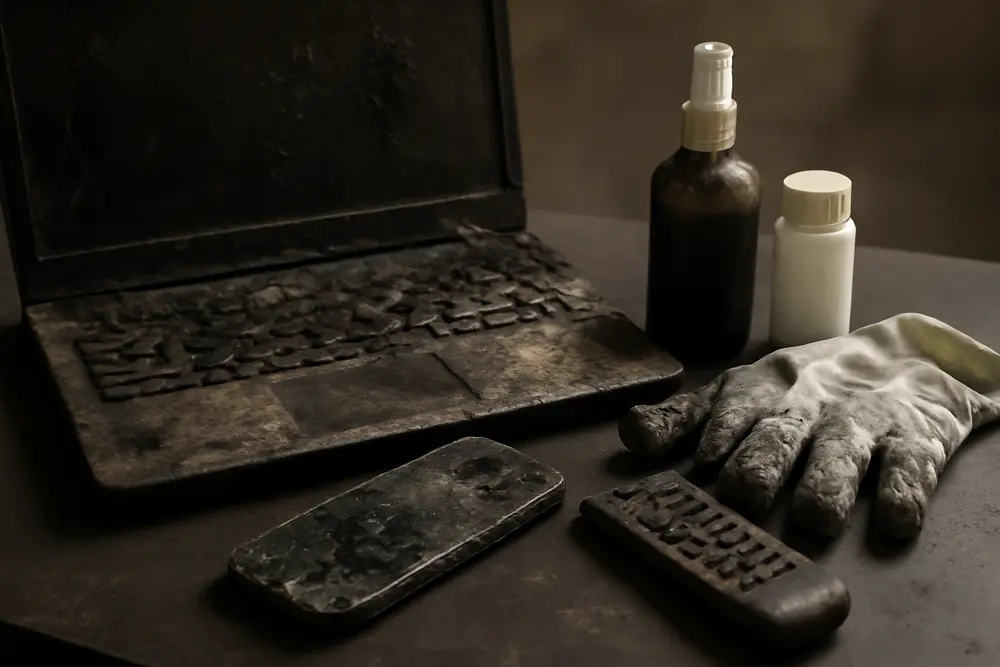
Smoke-damaged electronics look fine until they eat themselves from the inside out. Soot is loaded with acids and conductive junk that sneak into ports, under chips, and across circuit boards. Flip the power on too soon and you can turn fixable into fried. Here’s a straight-shooting guide on what soot really does, what testing and cleaning can save, when you should cut your losses, and how electronics data recovery fits into the picture.
What Smoke Does To Your Gear
Not all fires are equal. Burned plastics and rubbers leave acidic halides and sulfides that corrode metals. Protein fires leave sticky residues that cling to every surface. Wood and paper smoke leave carbon-heavy soot that turns into conductive films once moisture hits. That residue slides into buttons, vents, heat sinks, and ribbon cable connectors. If humidity is around, those residues become electrolyte soup and start chewing on copper traces, solder joints, and connectors. The device can still boot today and fail next week after the corrosion finishes what the flames started.
Heat makes things worse. Displays warp. Adhesives soften. Multi-layer circuit boards can delaminate. Many common components are only happy below the 70 to 80 C neighborhood for extended periods. If your device sat in an area that blistered paint or melted plastics, you’re not in salvage town anymore.
Soot also opens the door to invisible short circuits. Those ultra-fine particles lay down semiconductive paths between pins and across high-voltage sections. Apply power and you can get leakage, arcing, or full-on shorts. That is why any legit restoration starts with no power and lots of cleaning. Skipping straight to the power button can push manageable contamination into permanent damage.
There’s also the slow-burn problem. Ash and soot trap moisture, especially in warm homes with damp air after firefighting. The acids keep reacting day after day. You might think the device survived, only to watch keyboard keys give out, USB ports get flaky, or a power supply whistle itself to death two weeks later.
Can You Clean It Safely?
Here’s what a real testing-and-cleaning workflow looks like when you want to give smoke-damaged electronics a fighting chance. Step one is triage. Keep everything powered off. Pull batteries if they’re user-removable. Note what sat closest to the heat source. Photograph devices as-found, including soot level, melt marks, and any water exposure from suppression. Bag small items to stop cross-contamination, and keep them dry with desiccant until cleaning starts.
Exterior cleaning comes first. We use dry soot sponges, soft antistatic brushes, and HEPA-filtered vacuum capture. You do not blow soot deeper with canned air and you do not wipe with a wet rag. Moisture plus acids equals corrosion chemistry on turbo. Once the outside is safe to handle, the device usually needs to be opened. That means covers off, shields off, and boards out. Yes, even if it looks clean from the outside.
Internal cleaning depends on the device and contamination level. For most boards we use ultrasonic cleaning in a proper electronics-friendly detergent bath, then a thorough rinse with deionized water, followed by isopropyl alcohol displacement and controlled drying. The frequency and chemistry matter. Done wrong, you spread residue or trap moisture under BGA chips. Done right, you lift ionic contamination and soot from under components and out of connectors. For light contamination, careful hand cleaning with high-purity isopropyl and lint-free swabs can be enough, especially around ports, sockets, and fan channels.
After cleaning, we inspect under magnification. We’re looking for etched copper, white or green corrosion blooms, charred solder mask, bulged capacitors, and any connector pins that look dull or blackened. We replace compromised connectors, fans, flex cables, or passives as needed. Contact cleaners help stabilize switches and pots, but they’re not magic. If corrosion ate the plating on a port, that port needs replacement, not wishful spraying.
Contamination testing should be objective, not guesswork. A simple wipe test on critical areas checks whether ionic residues are still present. If a device fails residue testing after cleaning, it goes back for more. Only after the board is dry and clean do we apply power in a controlled environment with current-limited supplies and monitoring. If the device boots and meets manufacturer specs, we still watch for drift, heat, and intermittent faults. If it fails or runs out of spec, we estimate repair or we call it a toss, depending on cost, age, and safety.
What Not To Do
Do not turn it on to see if it works. That single test can send soot and acids across energized circuits and create carbon tracks that will haunt you. Do not bake it, hair-dryer it, or toss it in rice. Heat can set stains and warp plastics and rice dust is not a seasoning your logic board needs. Do not hose it with household cleaners. You’ll add residues that are harder to remove than the original soot.
Electronics Data Recovery
Sometimes the device is toast but the data is still savable. Data lives on different media and each one behaves differently in a fire or heavy smoke environment.
Hard disk drives are sealed in a way that usually keeps soot off the platters unless the seal is breached or the drive got cooked. The external controller board on the bottom of the drive can be corroded or burnt while the platters remain fine. In that case, pros swap donor boards, move any unique ROM, and image the drive in a clean room. If the drive took a serious thermal hit or got dunked, you still do not open it on a kitchen table. A single speck of soot on a platter can turn into a head crash that takes your last copy of baby photos with it.
Solid-state drives and flash storage handle moisture better but hate heat. The controller is the usual point of failure. If the drive was unpowered during the smoke event, odds go up. When the controller is gone, chip-off recovery might still pull data by reading individual NAND packages. Phones and tablets are a similar story. If they were powered off, there’s often a path to recover. If they were on during the event, heat and conductive soot can cook the power management circuits and corrupt memory. Either way, do not keep plugging it in to see if charging helps. Every attempt risks making recovery harder.
Removable media like SD cards can often be cleaned gently and read with a known-good reader once fully dry and soot-free. If the card shows physical deformation, you can still transplant the memory chip to a donor card or read it with specialized tools.
And please check for cloud backups before you spend big. It feels less heroic, but clicking restore is faster than paying for a clean room. If you bring data to a lab, ask about cleanroom class, chain-of-custody, and a no-data no-fee policy. Real labs will talk you through risks and expected recovery rates for your specific case.
Repair Or Replace?
Let’s cut to some clear rules we use when we write reports and talk to adjusters. Yes, there are edge cases, but these hold up in the real world.
| Condition | Likely Call | Why |
|---|---|---|
| Housings melted, warped screens, bubbled labels | Replace | Heat exceeded component ratings and plastics off-gassed into internals |
| Heavy soot inside with visible corrosion on connectors | Usually replace | High ionic load keeps causing failures even after cleaning |
| Light soot, no heat damage, no water entry | Often repair | Cleaning and testing can restore function reliably |
| Exposure to firefighting water or suppressant | Case-by-case | Depends on immersion time, water chemistry, and device design |
| Safety-critical gear like medical devices or breakers | Replace | Risk of shock or fire is not acceptable post-smoke |
| Repair exceeds half the replacement cost | Replace | Cost and downtime outweigh benefits of repair |
| Old or obsolete device with poor parts availability | Replace | Lack of parts and updates kills long-term reliability |
We also factor in hidden surfaces. Fans, heat sinks, and power supplies trap soot deep inside. If a unit smells like a campfire after cleaning, that odor is telling you contamination remains where you cannot scrub without a full teardown. Persistent odor usually predicts future failures.
Quick Examples You Can Use
Gaming PC in the spare room with light gray soot on the case and a faint smell. We open it, pull the GPU, clean the board and fans, replace the thermal paste that cooked during the event, and run residue tests and stress tests. This one often passes and lives on. We still recommend backing up more often because smoke damage puts mileage on components.
Kitchen TV with sticky brown residue on the vents and a foggy display after a pan fire. The display’s polarizer can be heat damaged and the power board will be loaded with residue. Cleaning rarely brings the screen back to looking right. We replace.
Router in the hallway with a tar-like coat on the antennas but no heat deformation. After internal cleaning and replacing the corroded antenna connectors, it usually comes back. If the power brick smells like burnt crayons, we swap that out too.
Washer and dryer in a laundry room adjacent to the event. The electronics might clean up, but the belt, seals, and insulation absorb smoke. We warn about long-term odor and corrosion on motor windings. Repair can cost more than new units with warranty, so we write it up as replace unless it is a high-end set less than two years old.
NAS with four drives, case sooty but no melted plastic. We clean the chassis and board, image each drive before any power-on tests, and rebuild the array in a safe environment. If a drive looks questionable, we recover data first and only then attempt a full boot. Data dictates the plan here, not the device cost.
Insurance And Documentation Tips
Document first and touch second. Photograph everything before you wipe it. Shoot serial numbers and model tags. Keep a simple spreadsheet of items, age, approximate cost, and observed damage. If a tech handles your gear, ask for intake photos and chain-of-custody notes for any storage media. Do not toss anything until your adjuster signs off. Keeping the item until the claim is settled protects you and clarifies salvage versus total loss.
Ask your carrier whether they count data recovery as part of contents or as a separate line item. If you run a business, many policies treat electronics data recovery as an extra expense that is reimbursable to reduce downtime. Get cleaning and recovery quotes in writing. A short, clear technician report that states contamination levels, steps taken, and pass-fail test results helps approvals go smoother than a vague we tried our best.
Hiring The Right Help
Smoke-damaged electronics are not a Swiffer-and-prayer job. You want a team that keeps devices unpowered until they’re clean, uses proper chemistry and ultrasonic processes, and can test for residual contamination before flipping any switch. If they suggest ozone as the main fix, move along. Ozone is great for deodorizing hard contents, not for bathing circuit boards. Ask about antistatic handling, ESD-safe workstations, ultrasonic frequency and cleaner chemistry, and whether they can replace corroded connectors rather than just washing them and hoping. For data, ask about cleanroom class, success rates with fire cases, and whether they image before powering devices.
If electrical systems in the building were affected, bring in a licensed electrician for wiring, panels, and outlets. Blackened or melted outlets get replaced, not buffed. The same goes for breakers and GFCIs that saw heat or soot. Safety beats sentiment every time.
What We Do And When We Refuse
Our team treats anything that smells like smoke as contaminated until testing proves otherwise. We photograph, bag, and tag. We clean exteriors so we can open devices without driving soot inside. Boards go through ultrasonic cleaning when indicated, followed by a deionized rinse and controlled drying. We replace fans and connectors that look even a little suspect. Then we test in stages with current-limited power and thermal monitoring.
We say no to powering items before cleaning, no to magic sprays that claim to neutralize acids without rinsing, and no to repairing safety-critical devices that could hurt someone if they fail. We’ll recover your data first when it makes sense, even if the device is headed for the scrap bin. If repair costs climb past half the price of a new unit, we’ll show you the math and write a clean report so your adjuster can approve replacement without a tug-of-war.
Turnaround depends on quantity and contamination. A lightly sooted office of laptops can be cleaned and tested in a few days. A server stack or a workshop full of control electronics takes longer because every board needs individual attention. We keep you posted with pass-fail lists so you can plan around what’s already back in action.
FAQ
Can I wipe boards with alcohol at home?
Maybe, but it is risky without the right tools. You can push soot under chips and into connectors, and you might leave ionic residues behind. If the device matters, get it cleaned with ultrasonic equipment and proper rinses.
Are appliances worth saving after smoke damage?
Sometimes, but odor and hidden corrosion in motors and harnesses bite later. If it is mid-tier and older, replacement is usually smarter. If it is high-end and newer, cleaning plus selective part swaps can work, but budget for new belts, fans, and power supplies.
How long until corrosion shows up?
Damage can start immediately with humidity and can cause failures days to weeks later. If you wait, you pay twice. Clean fast or replace fast, but do not let it sit.
If the device was off during the fire, is it safe?
Safer, not safe. Off means fewer shorts during the event, but residues still corrode, and powering on later can trigger trouble. Clean and test first.
Does ultrasonic cleaning damage electronics?
Done correctly with the right frequency, chemistry, and drying, it is a standard method for electronics decontamination. Done poorly, it can ruin speakers, displays, and unsealed bearings. It is a pro tool, not a hobby shortcut.
Will insurance pay for electronics data recovery?
Often yes, especially for business gear. Policies vary, so ask your adjuster early and get a written estimate from a recovery lab. Showing that data recovery reduces downtime helps your case.
Your First 24 Hours
Power nothing. Pull batteries if you can. Photograph everything. Bag small electronics so soot does not migrate. Call a pro who actually opens devices and tests for ionic residues, not a perfumed wipe-and-hope crew. If there is critical data, ask about imaging before any power is applied. Start your contents list with models and serial numbers. If an item shows melted plastic, cracked glass, or blackened internals, tag it as likely replace and do not waste time trying to coax it back to life.
Smoke-damaged electronics are fixable when contamination is light and heat stayed away. They’re a money pit when corrosion already moved in or safety is on the line. Make a clean break or a clean save, nothing in between.